Records and Audit Security
Every step of every order you place through AI is recorded: what you asked for, what you were shown, what you approved, and what the exchange replied. This page explains how those records are kept and why they cannot be altered.
Why it matters
The AI assistant speaks on your behalf, but it cannot decide on your behalf. In any dispute there is only one question: who approved the order, when, and what did they see? Phillip Intelligence is built to answer that question with a record for every order.
The records are kept on Phillip Capital's own servers, in an area separate from the trading system. The AI provider (Claude, ChatGPT) has no access to them.
The trail of every order
From the moment an order request reaches the system until the exchange replies, every step is recorded under the same request number:
| Step | What is recorded |
|---|---|
| Request | Request number, server time, which application it came from, session details |
| Order content | Symbol, side, quantity, price, order type, validity |
| Authority | The contract version and limit profile version in force at that moment, with a copy of the limits |
| Checks | The outcome of the limit, balance and risk checks on Phillip Capital's server |
| Approval | The summary you were shown, your approve or reject decision, its time and method |
| Exchange | Exchange reference number; accept, reject, fill, cancel and amend replies |
These records are linked to each other. Starting from one order number, the whole process can be replayed on a single screen.
Proof of what you were shown
Before an order goes to the exchange you are shown a summary: the order card in the chat, the approval page, or the preview screen in MobilG. That content is recorded exactly as displayed, at the moment it is displayed, and a fingerprint (SHA-256 digest) is taken. If even a single character changed afterwards, the fingerprint would no longer match.
Your approval is attached to the same record: from which application, by which method (card button, approval page, biometric or PIN confirmation in MobilG) and in which second it was given. So the answer to "I never approved this" or "I was shown a different price" is read from the records, not from memory.
The server responses behind what the assistant tells you about an order are also kept word for word. If the assistant misquoted a figure, what the server actually returned can be seen.
The tamper-evident chain
Each record also contains the fingerprint of the record before it. The records therefore form a chain: if a link in the middle is altered or removed, every link after it breaks, and this is detected at once.
- Every night at 03:30 the whole chain is recomputed from the start and verified. The result is recorded together with the number of records checked.
- Every day the fingerprint of the chain's last link is written to an area separate from the trading system. Comparing the chain with this anchor proves separately that nothing was changed after the fact.
- The record tables are set up as append-only; updates and deletions are blocked at the database level.
The audit panel
Authorised Phillip Capital staff monitor the records on the screens below. Account numbers in the screenshots are masked; the panel never shows a customer's name or national ID on any screen.
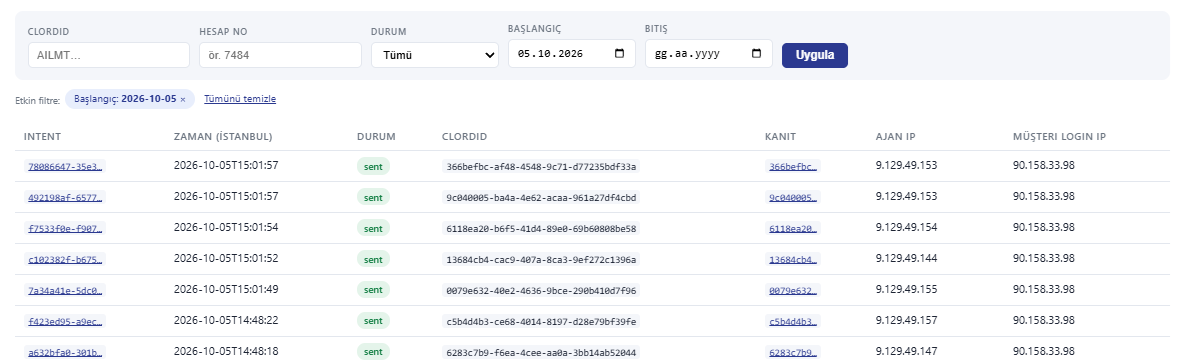
Requests
One line per order request: time, account, symbol, side, quantity, outcome. Clicking a line opens the whole process.
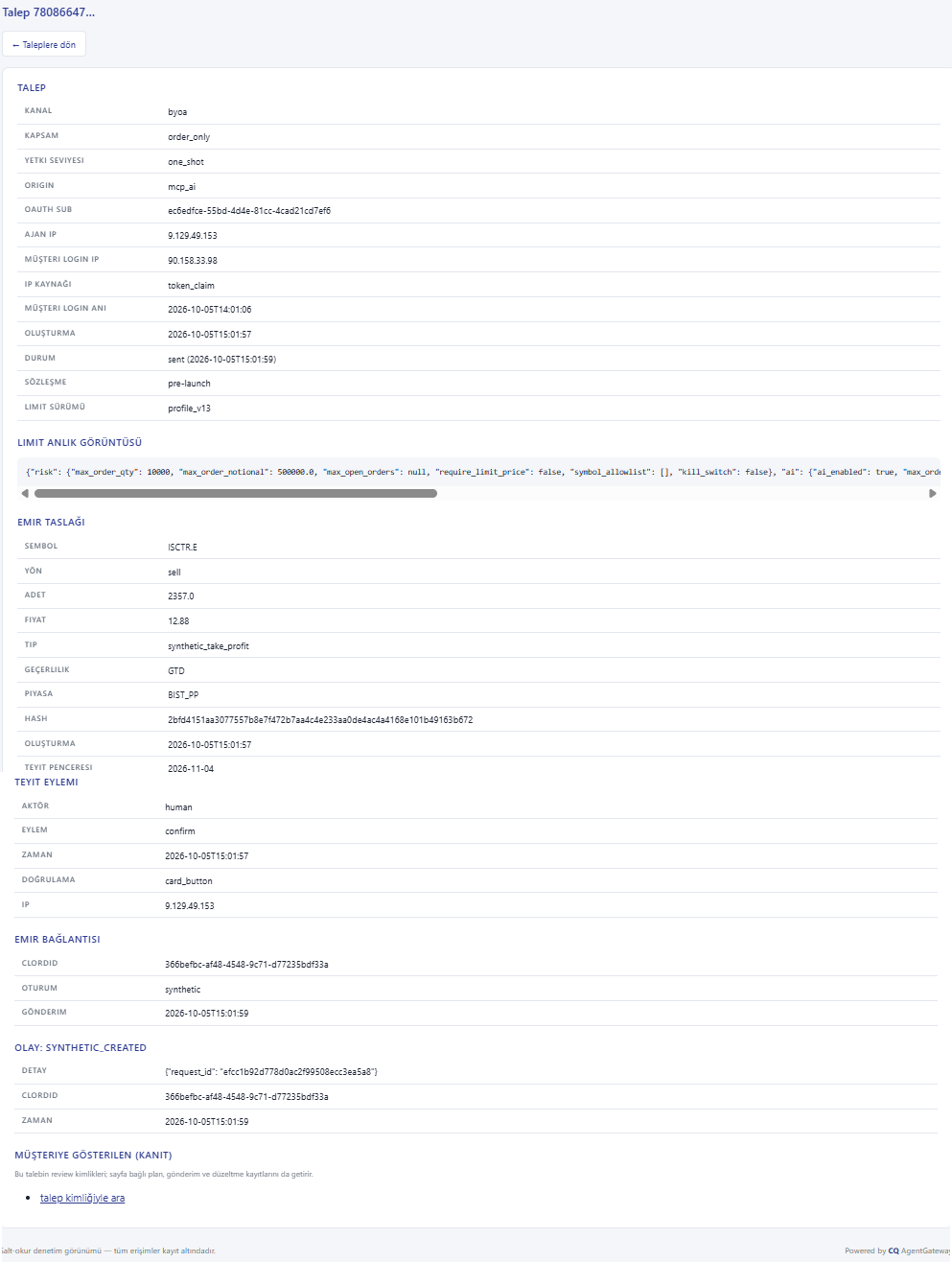
Request detail
Every step from the request to the exchange reply, in order: the limits applied, check results, the summary shown and its fingerprint, the approval decision, the exchange reference.
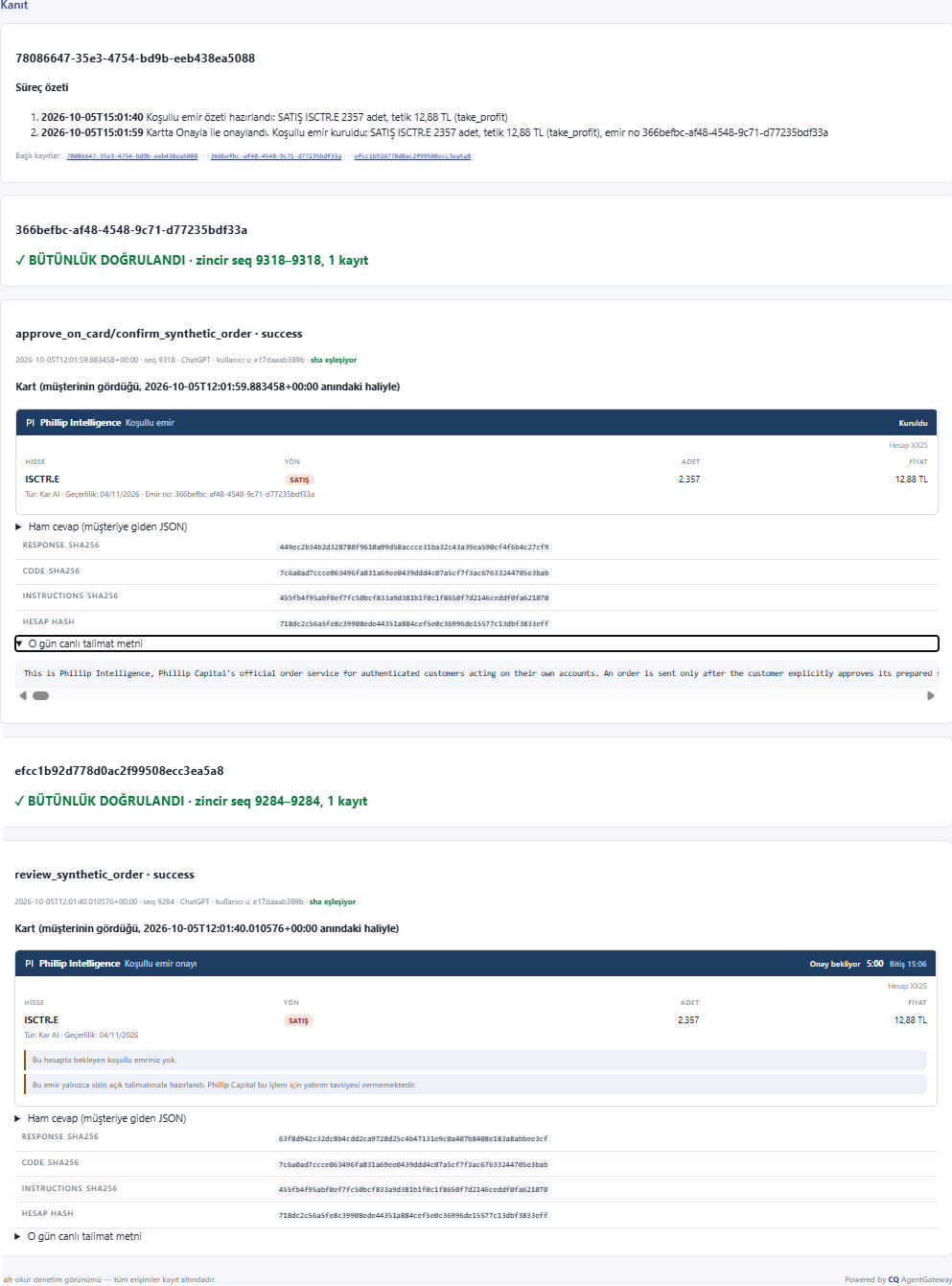
Evidence
Every summary and server response shown to the customer, as displayed. Which application and version displayed it, and with which card template, is recorded too.
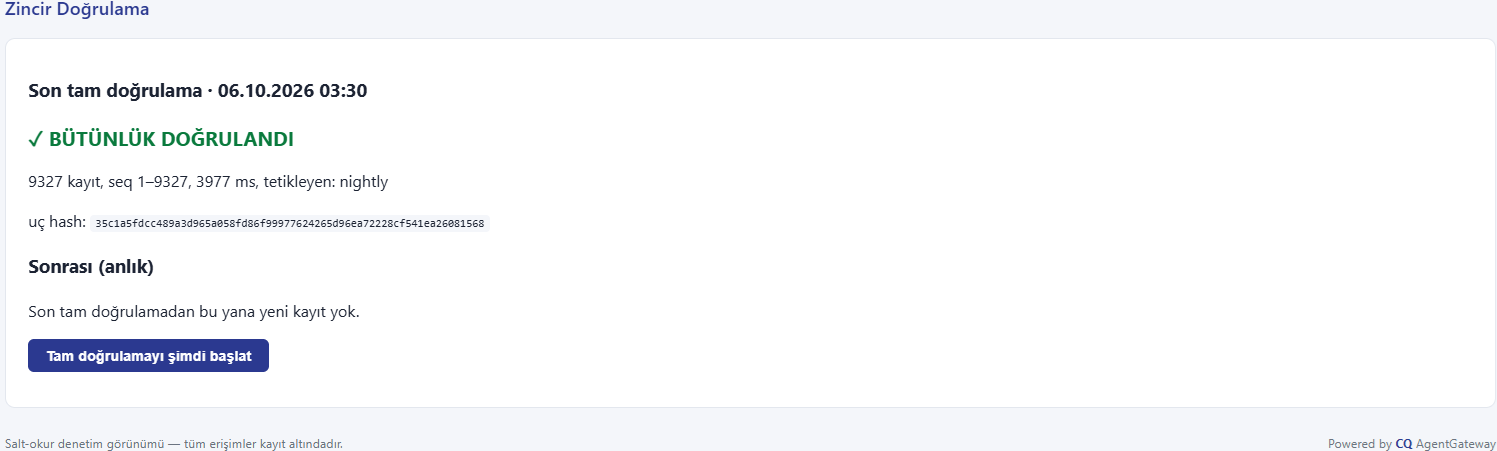
Chain verification
The result of the nightly verification, the number of records checked and the latest anchor. If the chain is broken, the record where the break starts is shown here.
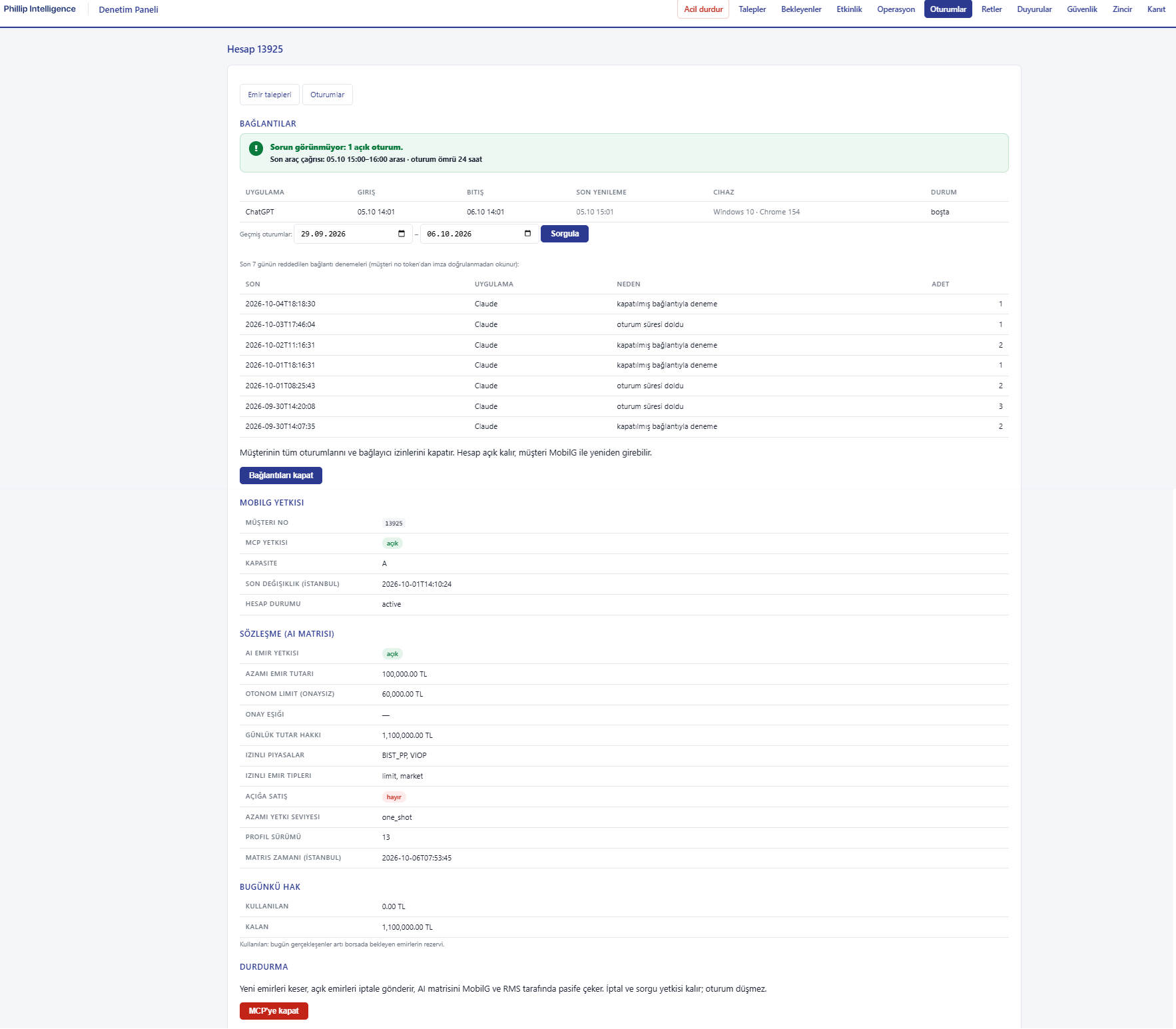
Pending approvals and account card
Orders waiting for MobilG approval, the account's permission and limit profile, emergency stop status and connected applications.
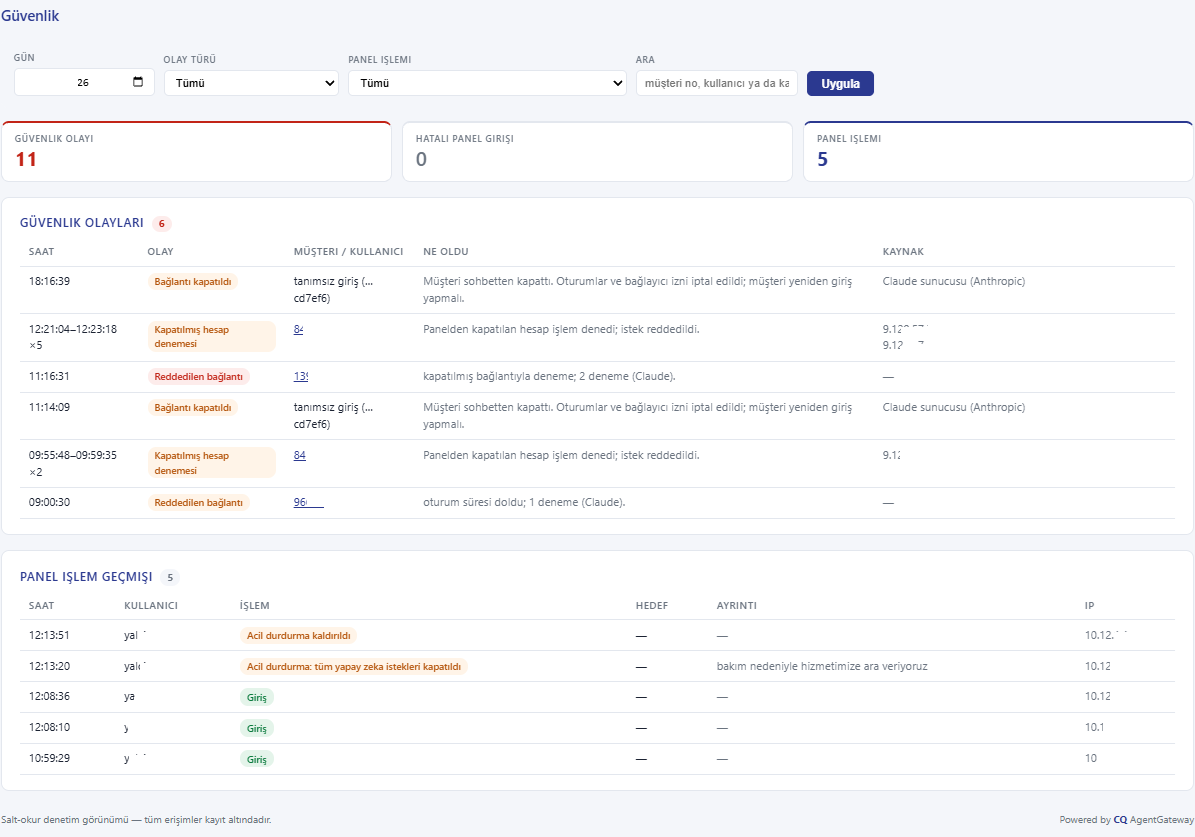
Security and sessions
Rejected connection attempts, how many requests came from which application, open sessions and where each connection was made from.
Retention and access
Order, approval and permission records for this channel are kept for at least ten years. Where regulation requires a longer period, that period applies.
You can request a copy of your own records through your account representative. As stated in your agreement, the records may be used as electronic documents in a dispute; your right to counter-evidence with your own proof is preserved.
What is not recorded
- Your conversation with the assistant itself does not reach Phillip Capital. Recording starts with the structured requests and approvals that reach the system. Your conversation is governed by the rules of the AI provider you use.
- Your name, surname and national ID are not included in the responses sent to the assistant; your account number is masked.
- Your MobilG password and verification codes are never written to any record.